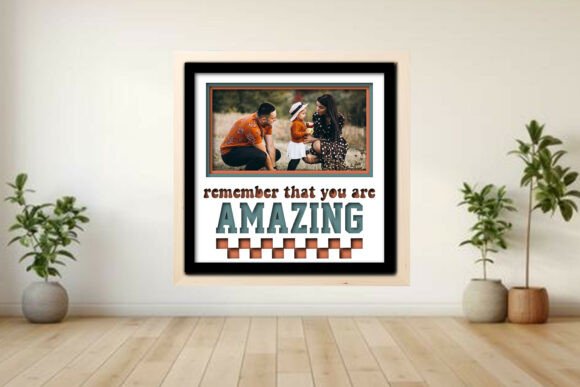
Remember -- Amazing Photo Frame Shadow
Transform Memories into 3D Art with a Layered Shadow Box
Looking for a creative way to showcase your favorite holiday moments? The Remember -- Amazing Photo Frame Shadow design offers a unique, hands-on approach to preserving and displaying memories. This layered shadow box project is more than just a photo frame — it’s a personalized piece of art that brings depth and storytelling to your holiday decor. Whether you're a seasoned maker or just starting out, this project is designed to be accessible, scalable, and adaptable across multiple cutting platforms.
What Makes This Shadow Box Stand Out?
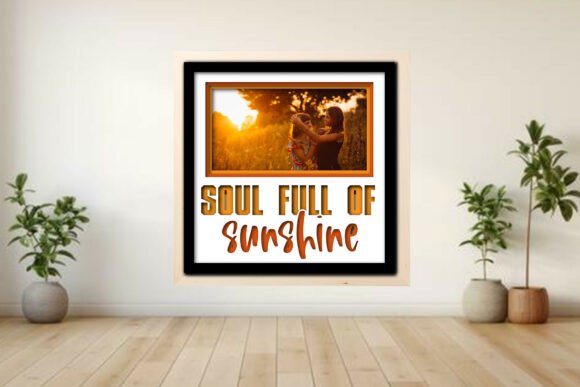
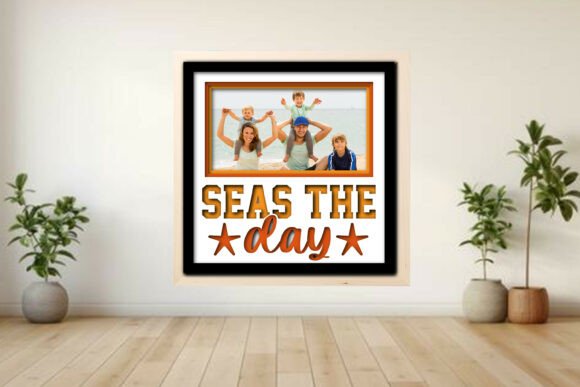
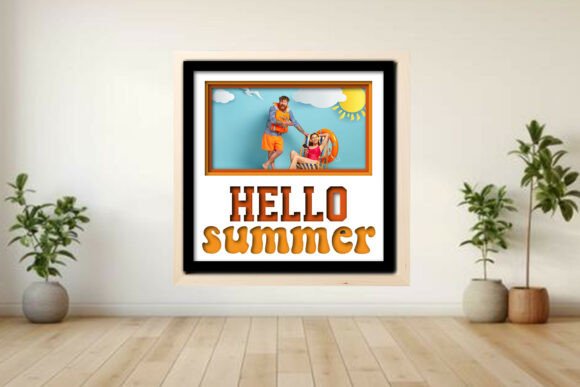
The Remember -- Amazing Photo Frame Shadow uses a layered design to create a three-dimensional effect, making your photos pop with visual interest. The file set includes SVG, DXF, PDF, EPS, PNG, and LBRN2 formats, ensuring compatibility with Glowforge®, xTool®, OM Tech, Cricut®, and Silhouette® machines. Each layer — from the backer and frame mat to the “Santa squad,” tree, and star accents — is color-coded for easy use in LightBurn, with red for cuts, blue for scores, and black for engraves.
This flexibility means you’re not limited to a single style or layout. Choose from 1, 2, 3, or 6 photo arrangements to suit your space, story, or audience. Whether you're creating a keepsake for yourself or a gift for someone special, this design empowers you to make it uniquely yours.
Customize for Any Occasion
While the Remember -- Amazing Photo Frame Shadow was designed with holiday themes in mind, its modular layout opens the door to year-round creativity. Swap out seasonal accents for birthday confetti, wedding florals, or back-to-school motifs. The layered approach works equally well for baby showers, anniversaries, or even as a personalized office decor piece that highlights your creative journey.
For example, a small business owner could use a 3-photo layout to display team milestones or product launches. A blogger might create a visual timeline of their site’s evolution. Educators can design a classroom display that highlights student achievements or seasonal learning themes.
Material and Finish Options
Tested on 3 mm plywood using LightBurn, this design can be adapted to a wide range of materials — from acrylic and MDF to veneer and even thin metals. Each material brings a different aesthetic. Plywood adds a warm, rustic feel, while acrylic offers a modern, glossy finish. Don’t forget to run a material test before starting your full build to ensure clean cuts and crisp scores.
Once assembled, you can paint, stain, or leave the wood natural. Consider using metallic paints or foil accents on engraved elements to elevate the design. For a minimalist look, stick to monochrome with a pop of color on the “Santa squad” or tree.
Perfect for Makers, Designers, and Small Businesses
If you're a designer or small business owner, the Remember -- Amazing Photo Frame Shadow is a valuable asset for client projects or product offerings. Its compatibility with multiple cutting machines makes it easy to integrate into your existing workflow. You can offer custom versions to clients or sell assembled kits online.
Bloggers and content creators can feature the project as part of a holiday crafting series or a “maker’s gift guide.” Pair it with a short video tutorial or a printable guide to help your audience get started. Entrepreneurs can bundle the digital file with pre-cut materials or offer a custom layout service for an added value.
Assembly Tips for a Polished Result
Assembly is straightforward, especially with the included PDF guide. Start by organizing your layers by color code and material type. Use a light adhesive like spray mount or double-sided tape to secure each layer without warping the base. If you're using a photo insert, make sure to measure precisely before gluing to avoid shifting.
- Use tweezers for placing small engraved elements
- Test fit all layers before applying adhesive
- Label each layer during assembly to avoid confusion
- Add a hanging kit or easel back for display options
Designing for Different Audiences
One of the strengths of the Remember -- Amazing Photo Frame Shadow is its adaptability. Here are a few ways different audiences can make the most of the design:
- Hobbyists: Create a personalized Christmas memory wall using 6 photo slots to highlight each year’s tree, family gathering, or travel adventure.
- Freelancers: Showcase your portfolio with a 3-photo layout highlighting before-and-after design transformations or project highlights.
- Educators: Build a classroom shadow box with student photos and holiday-themed layers to celebrate seasonal achievements.
- Entrepreneurs: Offer a customizable version of the design as a holiday gift product or limited-edition decor item.
Scaling and Resizing for Your Needs
The design is fully scalable, so you can adjust the overall dimensions to fit your preferred photo sizes. Whether you want a compact 4x6-inch frame or a larger 8x10-inch centerpiece, the vector-based files maintain clarity at any size. Just be sure to recalibrate your machine settings when resizing, especially if you’re changing materials or thickness.
For digital creators, this scalability makes it easy to repurpose the design across different platforms. Use a smaller version in a digital portfolio or scale it up for a booth display at a craft fair or pop-up shop.
Final Thoughts
The Remember -- Amazing Photo Frame Shadow is more than a downloadable file — it’s a creative tool that invites personal expression and thoughtful storytelling. Whether you're using it to preserve holiday memories, highlight a creative journey, or build a small product line, this layered shadow box project offers a satisfying blend of craft and customization. With its clean design, clear instructions, and compatibility across cutting platforms, it’s a versatile addition to any maker’s toolkit.
So grab your favorite photos, choose your layout, and bring your memories to life with a project that’s as meaningful as it is beautiful.